Practical Ansible Playbooks: Inventory, Idempotency, Vault, and Rolling Deployments
EdwardMoon
Ansible playbooks declaratively manage packages, configuration files, and service state across Linux servers, reducing missed commands and environmental differences. But running across every server after only a successful ping, overusing command/shell tasks, or putting passwords in YAML can make automation spread outages and expose secrets faster.
This guide is not tied to one distribution or an obsolete Ansible version. It combines isolated Python environments, YAML inventories, ansible.builtin FQCNs, idempotency, handlers, check/diff modes, Vault, serial, and block/rescue into a verifiable operating workflow. Consult the official documentation for your installed ansible-core and collections before applying it.
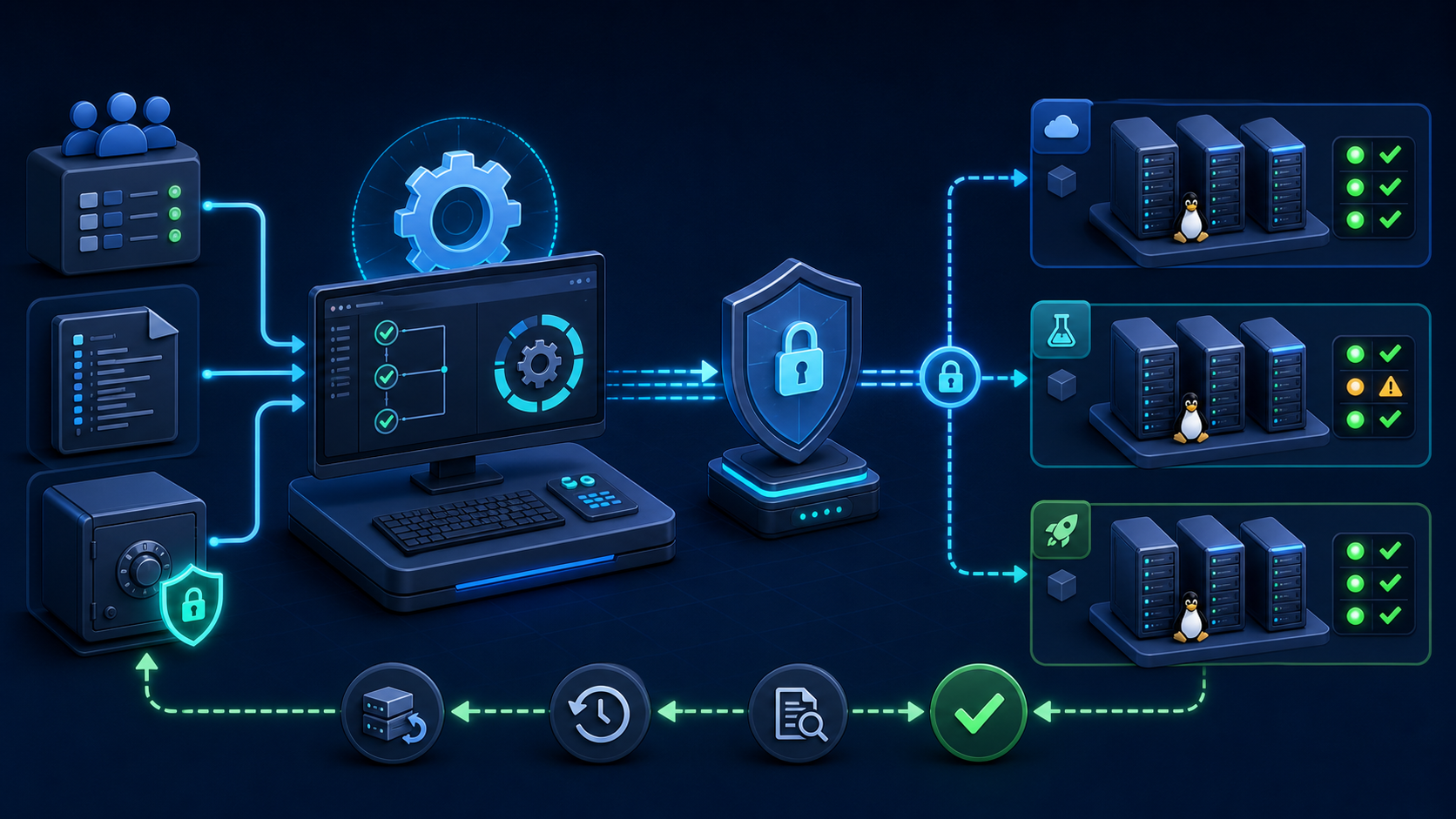
Core Playbook Components
| Component | Role | Operational practice |
|---|---|---|
| Inventory | Target hosts, groups, and connection variables | Separate dev, stage, and prod, and minimize duplicate variables |
| Play | Target group and execution policy | Specify hosts, become, serial, and failure policy |
| Task | One module invocation | Use a name, FQCN, and explicit desired state |
| Module | Performs package, file, service, and other operations | Prefer purpose-built modules to command or shell |
| Handler | Follow-up action triggered only by a change | Use for validated service restarts after configuration changes |
| Role | Reusable tasks, handlers, templates, and defaults | Keep responsibilities small and document interface variables |
| Collection | Distribution unit for modules, plugins, and roles | Pin tested versions and review changes |
In Ansible’s status reporting, ok means the desired state was already present, changed means an actual change occurred, and failed means failure. Validate idempotency by checking changed=0 on repeat runs and confirming that only expected handlers execute, rather than checking success alone.
Prepare the Execution Environment
Create a project venv instead of mixing packages into the controller’s system Python. Record the installed ansible-core and Python versions, configuration files, and collection paths so the automation can be reproduced.
Install Ansible in a Python venv
python3 -m venv .venv
source .venv/bin/activate
python -m pip install --upgrade pip
python -m pip install ansible-core ansible-lint

ansible --version
ansible-playbook --version
ansible-lint --version
python -m pip freeze > requirements-lock.txt
Pin validated ansible-core and library versions through a lock file or an approved package repository for production projects. Unconditionally installing the latest version loses reproducibility when collection compatibility or Python requirements change.
Project Directory Layout
install -d inventories/dev/group_vars/all inventories/prod/group_vars/all
install -d roles/web/{tasks,handlers,templates,defaults}
install -d playbooks/templates

find . -maxdepth 3 -type d | sort
Safe Defaults in ansible.cfg
[defaults]
inventory = inventories/dev/hosts.yml
roles_path = roles
host_key_checking = True
retry_files_enabled = False
interpreter_python = auto_silent
forks = 10
timeout = 15

[privilege_escalation]
become = False
become_ask_pass = True
Disabling host_key_checking prevents detection of man-in-the-middle attacks. Verify target SSH public-key fingerprints through a trusted channel before registering them in known_hosts. Enable become only for the plays or tasks that need it, and keep passwords out of configuration files.
Create a YAML Inventory
Group names should reflect roles and failure boundaries; ansible_host holds the actual connection address. Separate inventory sources for production and development reduce accidental production targeting compared with distinguishing environments only through tags in one file.
inventories/dev/hosts.yml
all:
  children:
    web:
      hosts:
        dev-web-01:
          ansible_host: 192.0.2.11
        dev-web-02:
          ansible_host: 192.0.2.12
    database:
      hosts:
        dev-db-01:
          ansible_host: 192.0.2.21
  vars:
    ansible_user: automation
    ansible_become: true
Validate Inventory Syntax and Targets
ansible-inventory -i inventories/dev/hosts.yml --graph
ansible-inventory -i inventories/dev/hosts.yml --list | jq .

ansible web   -i inventories/dev/hosts.yml   -m ansible.builtin.ping   --limit dev-web-01
ansible.builtin.ping checks remote Python execution and the Ansible connection; it is not ICMP ping. Success indicates working SSH, Python, and access permissions, not that repositories, disk space, or service dependencies are ready.
Write a First Playbook with Handlers
The following play declares packages, configuration templates, and service state. Each task uses a readable name and FQCN. The template task notifies the handler only when the rendered configuration changes, avoiding unnecessary restarts.
playbooks/web.yml
---
- name: Configure web servers
  hosts: web
  become: true
  gather_facts: true

  tasks:
    - name: Ensure Nginx is installed
      ansible.builtin.package:
        name: nginx
        state: present

    - name: Render Nginx virtual host
      ansible.builtin.template:
        src: nginx.conf.j2
        dest: /etc/nginx/nginx.conf
        owner: root
        group: root
        mode: '0644'
        validate: '/usr/sbin/nginx -t -c %s'
      notify: Restart Nginx

    - name: Ensure Nginx is enabled and running
      ansible.builtin.service:
        name: nginx
        enabled: true
        state: started

  handlers:
    - name: Restart Nginx
      ansible.builtin.service:
        name: nginx
        state: restarted
This example manages the entire /etc/nginx/nginx.conf on a new lab host. Its template includes events and http so nginx -t -c %s can validate the temporary file as a standalone main configuration. Do not apply it unchanged to production Nginx: replacing the main file can remove other virtual hosts. A production role that deploys only a vhost fragment needs a separate validation procedure that assembles the full configuration.
Example Jinja Template
Save the following as playbooks/templates/nginx.conf.j2. Place variables in inventories/dev/group_vars/all/app.yml as shown, setting app_port to the port of an application that is actually running.
app_server_name: app.example.internal
app_port: 8080
events {
worker_connections 1024;
}
http {
access_log /var/log/nginx/access.log;
error_log /var/log/nginx/error.log;
server {
listen 80;
server_name {{ app_server_name }};
location /healthz {
access_log off;
return 200 "ok\n";
}
location / {
proxy_pass http://127.0.0.1:{{ app_port }};
proxy_set_header Host $host;
proxy_set_header X-Forwarded-For $proxy_add_x_forwarded_for;
}
}
}Preflight Validation: Syntax, Check, and Diff
After syntax validation, run check mode on one host in the development inventory and review the diff. Check mode simulates changes, but not every module supports it. Plays whose conditions depend on values created by earlier tasks may behave differently from a real run.
ansible-playbook   -i inventories/dev/hosts.yml   playbooks/web.yml   --syntax-check

ansible-playbook   -i inventories/dev/hosts.yml   playbooks/web.yml   --check --diff   --limit dev-web-01
Diff output can expose secrets by showing before-and-after configuration. Consider diff: false and no_log: true for sensitive template tasks, and restrict CI log access and retention. Once validated, retain –limit for the real run, then expand one group at a time.
ansible-lint playbooks/web.yml

ansible-playbook   -i inventories/dev/hosts.yml   playbooks/web.yml   --limit dev-web-01

ansible-playbook   -i inventories/dev/hosts.yml   playbooks/web.yml   --check --limit dev-web-01
Make Playbooks Idempotent
| Fragile approach | Recommended approach | Reason |
|---|---|---|
| shell: echo >> file | lineinfile·blockinfile·template | Avoids duplicates on subsequent runs |
| shell: yum install | package·dnf | Reads current state and applies only necessary changes |
| Initializing with command on every run | creates/removes or a dedicated module | Makes completion conditions explicit |
| Restarting services on every run | Handler notify | Restarts only when configuration changes |
| Ignoring every error | failed_when·block/rescue | Distinguishes expected errors from actual failures |
Set a Completion Condition for command
- name: Initialize application database once
  ansible.builtin.command:
    argv:
      - /usr/local/bin/myapp-init
      - --database
      - /var/lib/myapp/app.db
    creates: /var/lib/myapp/.initialized
  register: init_result
  # Let the command module report skipped/changed state based on creates.
creates skips the command when the specified path exists. Verify that the initialization program actually creates that marker on success. Unconditionally setting changed_when to false hides real changes and handler notifications; base it on the meaning of the command’s exit status and output instead.
Protect Secrets with Vault
Ansible Vault encrypts variables and files to reduce plaintext secrets in repositories. As its official documentation emphasizes, Vault protects data at rest only. Decrypted runtime values can appear in module arguments, diffs, debug output, and errors, so combine it with no_log, diff restrictions, and log access controls.
Encrypt a String from Terminal Input
read -rsp 'Secret value: ' SECRET_VALUE
echo
printf '%s' "$SECRET_VALUE"   | ansible-vault encrypt_string       --vault-id prod@prompt       --stdin-name 'db_password'   > inventories/prod/group_vars/all/vault.yml
unset SECRET_VALUE

chmod 0600 inventories/prod/group_vars/all/vault.yml
Run with a Vault ID
ansible-playbook   -i inventories/prod/hosts.yml   playbooks/web.yml   --vault-id prod@prompt   --check --limit prod-web-01
# Variable-level !vault YAML is decrypted when the playbook runs with --vault-id.
Suppress Sensitive Task Output
- name: Render application secret configuration
  ansible.builtin.template:
    src: app-secret.conf.j2
    dest: /etc/myapp/secret.conf
    owner: root
    group: root
    mode: '0600'
  no_log: true
  diff: false
no_log suppresses a task’s output but does not protect against malicious code, separate debug tasks, or all target-system logs. Prefer external secret managers and short-lived credentials where possible, and keep Vault password files out of Git.
Rolling Deployments
After deploying the service, run notified restarts with meta: flush_handlers before performing health checks. To upgrade an installed package, specify an approved version in the package name or explicitly set myapp_package_state to latest during a change window. present does not automatically upgrade installed packages.
Use serial to limit batch size instead of changing every production server at once. max_fail_percentage stops execution when the failure percentage in the current batch exceeds the threshold. To stop after one failure in a two-host batch, use a value such as 49, not 50, because the condition is strictly greater than the threshold.
---
- name: Roll out application safely
  hosts: web
  become: true
  serial: 2
  max_fail_percentage: 49

  pre_tasks:
    - name: Confirm target batch
      ansible.builtin.debug:
        msg: "Deploying to {{ ansible_play_batch }}"

  tasks:
    - name: Deploy application package
      ansible.builtin.package:
        name: myapp
        state: "{{ myapp_package_state | default('present') }}"
      notify: Restart MyApp

    - name: Restart changed services before checking health
      ansible.builtin.meta: flush_handlers

    - name: Verify local health endpoint
      ansible.builtin.uri:
        url: http://127.0.0.1:8080/healthz
        status_code: 200
        return_content: false
      register: health
      retries: 10
      delay: 3
      until: health.status == 200

  handlers:
    - name: Restart MyApp
      ansible.builtin.service:
        name: myapp
        state: restarted
This is a minimal structural example. With a real load balancer, remove each batch’s hosts from traffic, wait for connections to drain, deploy, health-check, and re-register them. When using delegate_to or API modules, also verify certificate checks, error handling, and safe retries.
Error Handling and Recovery
A block applies shared directives such as become and when to related tasks and expresses failure handling through rescue and always. If rescue succeeds, the original failure can be treated as recovered and the play may continue. Syntax errors and unreachable hosts do not trigger rescue, so connection-failure policy and monitoring need separate treatment.
- name: Back up current configuration
  ansible.builtin.copy:
    src: /etc/myapp/myapp.conf
    dest: /var/backups/myapp.conf.pre-ansible
    remote_src: true
    owner: root
    group: root
    mode: '0600'

- name: Update service configuration with recovery
  block:
    - name: Render candidate configuration
      ansible.builtin.template:
        src: myapp.conf.j2
        dest: /etc/myapp/myapp.conf
        owner: root
        group: root
        mode: '0640'
        validate: '/usr/local/bin/myapp --check-config %s'
      notify: Restart MyApp

  rescue:
    - name: Restore previous configuration
      ansible.builtin.copy:
        src: /var/backups/myapp.conf.pre-ansible
        dest: /etc/myapp/myapp.conf
        remote_src: true
        owner: root
        group: root
        mode: '0640'

    - name: Stop this host after recovery
      ansible.builtin.fail:
        msg: Configuration deployment failed and was restored

  always:
    - name: Record completion state
      ansible.builtin.debug:
        msg: "Configuration block finished for {{ inventory_hostname }}"
Do not assume that restoring one configuration file also rolls back the application and database schema. Maintain a separate runbook covering pre/post-deployment checks, package rollback support, data changes, and handler timing.
Quality Checks and Execution Sequence
- Record ansible-core, Python, collection versions, and the Git commit to deploy.
- Verify targets, variables, and groups with inventory –graph and –list.
- Pass ansible-lint and –syntax-check.
- Run –check –diff on one development host.
- Review sensitive diffs and the scope of no_log.
- After a real single-host run, verify health and changed=0 on a repeat run.
- Test failure stops and recovery in staging with small serial batches.
- Deploy to production in an approved change window, preserving the recap, application metrics, and logs.
ansible-config dump --only-changed
ansible-inventory -i inventories/prod/hosts.yml --graph
ansible-lint playbooks roles
ansible-playbook -i inventories/prod/hosts.yml playbooks/web.yml --syntax-check

ansible-playbook   -i inventories/prod/hosts.yml   playbooks/web.yml   --check --diff   --limit prod-web-01   --vault-id prod@prompt
Operations Checklist
- Separate inventory sources and write permissions for dev, stage, and prod.
- Keep SSH host key verification enabled and minimize automation-account and sudo privileges.
- Give every task a name and FQCN, and define completion/change conditions for command and shell tasks.
- Validate configuration with validate and handlers, and confirm changed=0 on repeated runs.
- Combine Vault, no_log, diff restrictions, and log access controls.
- Expand validation through syntax, lint, check, diff, one host, and small serial batches.
- Prepare procedures for unreachable hosts, syntax errors outside block/rescue handling, and data rollback.
- Record the executed commit, inventory, limit, operator, recap, and post-run checks in the change history.
Official Documentation and Related Articles
- Official Ansible inventory guide
- Check mode and diff mode documentation
- Ansible handlers documentation
- Block, rescue, and always documentation
- Official Ansible Vault documentation
- Official ansible-lint documentation
- Creating and Operating Python Virtual Environments
Conclusion
Safe Ansible automation expresses desired state, change conditions, failure boundaries, and validation order in code. Separate inventories by environment, build idempotency with purpose-built FQCN modules and handlers, and understand exactly what Vault protects. Expand to production only after syntax, lint, check, diff, single-host, serial-batch, and recovery tests pass.