Deploy Kea DHCP on Rocky Linux 9: Reservations, Validation, and High Availability
EdwardMoon
Kea is a modern DHCPv4 server that automatically supplies clients with IPv4 addresses, default gateways, DNS settings, and lease times. The older CentOS 7.9 dhcpd configuration is unsuitable for new deployments for two reasons: CentOS 7 is end of life, and ISC DHCP maintenance ended in 2022.
This guide starts with a secure single-subnet setup using Rocky Linux 9 and official Kea 3.0 LTS RPMs. It connects interface and address planning with JSON validation, narrowly scoped firewall rules, packet capture, reservation conflict prevention, DHCP relays, and high-availability design.
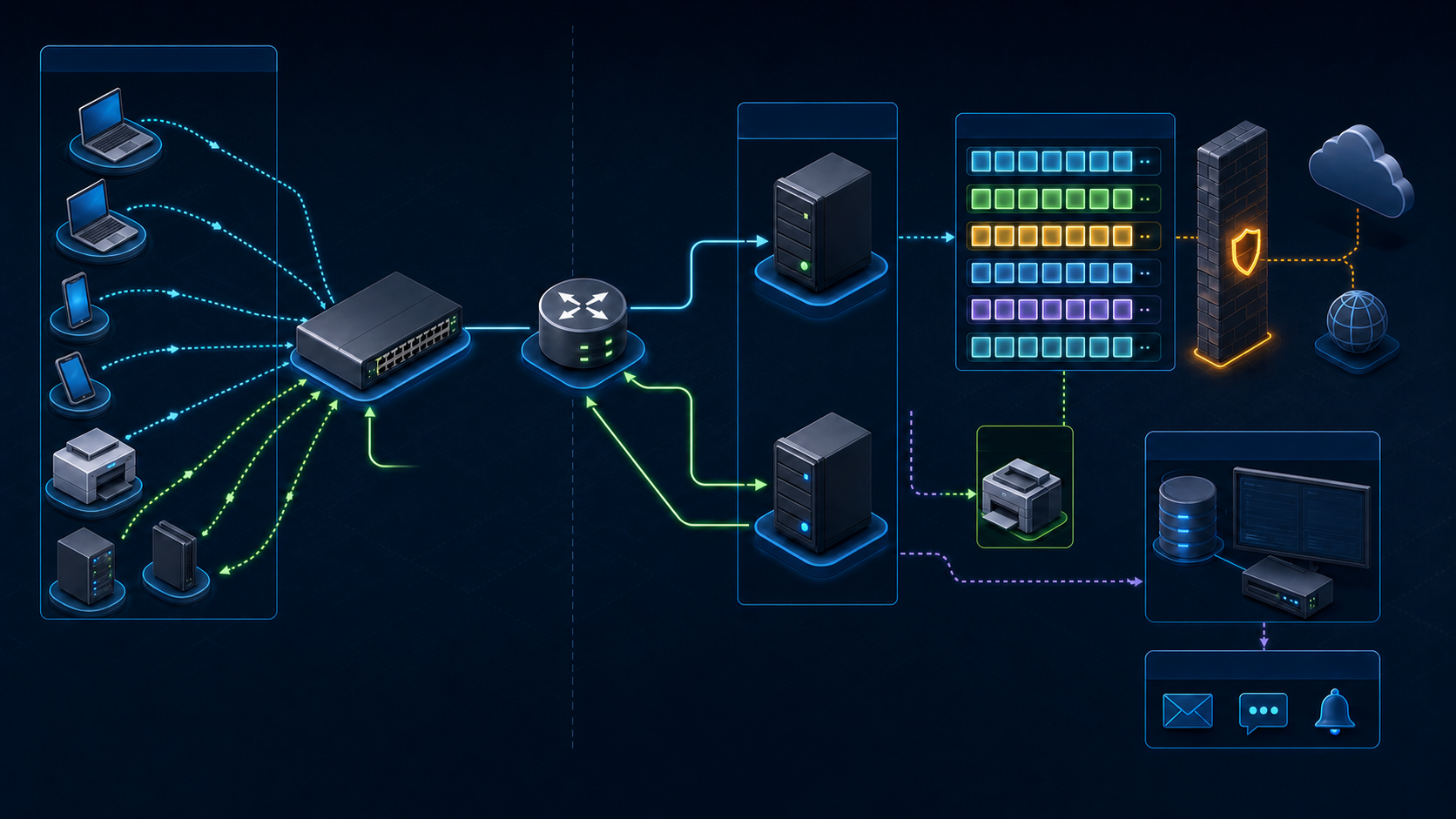
Why Choose Kea Instead of ISC DHCP?
ISC announced DHCP 4.4.3-P1 as its final maintenance release and recommends Kea or another maintained server for new environments. Kea provides JSON configuration, control commands, statistics, hooks, memfile/MySQL/PostgreSQL lease backends, and high availability. The 3.0 series is a long-term support branch.
As of July 2026, Kea 3.2 is the latest stable branch, but this guide selects 3.0 LTS for production environments needing a longer support cycle. Check ISC support policy and security advisories for the exact maintenance version before installation.
Kea DHCP and the DORA Exchange
| Step | Message | What to check |
|---|---|---|
| 1 | DHCPDISCOVER | A client without an address broadcasts a request, or a relay forwards it |
| 2 | DHCPOFFER | The server selects a subnet and offers a lease and options |
| 3 | DHCPREQUEST | The client requests its selected server and address |
| 4 | DHCPACK | The server records the lease and acknowledges the final configuration |
When clients and the server are in different broadcast domains, a DHCP relay on an L3 device forwards requests by unicast. The relay address, subnet selection, return route to the relay, and ACL permissions for UDP 67/68 must all be correct.
Rocky Linux 9 Preflight Checks
The example server uses 192.168.100.2/24 on ens192, with gateway 192.168.100.1. Before copying it, identify the actual NIC, VLAN, duplicate addresses, and existing DHCP servers.
cat /etc/os-release
ip -br link
ip -br address
ip route
nmcli -t -f NAME,DEVICE,TYPE,STATE connection show --active
ss -lunp | grep -E ':(67|68)\b' || true
Check for Address Pool Conflicts
- Keep dynamic pools separate from static addresses assigned to gateways, servers, printers, and network equipment.
- Place reservations outside the dynamic pool, as in the example, or explicitly test Kea’s conflict handling policy.
- Use packet capture to check whether an existing DHCP server responds on the same VLAN.
- Check whether client MAC randomization can change the identifier used by an hw-address reservation.
Install Official Kea 3.0 LTS RPMs
ISC distributes RHEL-family packages through Cloudsmith. Download the setup script locally and review its contents and TLS source before running it, rather than piping a remote script directly into a shell. If your organization has supply-chain controls, synchronize packages to an approved internal repository.
curl --fail --location --proto '=https' --tlsv1.2   https://dl.cloudsmith.io/public/isc/kea-3-0/setup.rpm.sh   --output /tmp/isc-kea-3-0-setup.rpm.sh

less /tmp/isc-kea-3-0-setup.rpm.sh
sudo bash /tmp/isc-kea-3-0-setup.rpm.sh
Install Only DHCPv4 Components and Record Versions
sudo dnf install -y isc-kea-dhcp4
rpm -q isc-kea-dhcp4 isc-kea-common
kea-dhcp4 -V
dnf repolist --enabled | grep -i kea
ISC RPM dependencies may require additional repositories such as EPEL. If installation fails on dependencies, do not bypass the problem with --skip-broken. Follow ISC’s package documentation to verify approved Rocky 9 repositories and the availability of required packages.
Configure Kea DHCP with JSON
The official RPM normally uses /etc/kea/kea-dhcp4.conf. Back it up, then use sudoedit to adapt the following example. Comments, commas, and quotation marks are common sources of configuration mistakes, so always pass Kea’s own validation before starting the service.
sudo cp -a /etc/kea/kea-dhcp4.conf   /etc/kea/kea-dhcp4.conf.before-$(date +%F-%H%M%S)
sudoedit /etc/kea/kea-dhcp4.conf
{
"Dhcp4": {
"interfaces-config": {
"interfaces": [ "ens192" ]
},
"lease-database": {
"type": "memfile",
"persist": true,
"name": "/var/lib/kea/kea-leases4.csv",
"lfc-interval": 3600
},
"valid-lifetime": 3600,
"renew-timer": 900,
"rebind-timer": 1800,
"subnet4": [
{
"id": 100,
"subnet": "192.168.100.0/24",
"pools": [
{ "pool": "192.168.100.100 - 192.168.100.200" }
],
"option-data": [
{ "name": "routers", "data": "192.168.100.1" },
{ "name": "domain-name-servers", "data": "192.168.100.53" },
{ "name": "domain-name", "data": "example.internal" }
],
"reservations": [
{
"hw-address": "00:11:22:33:44:55",
"ip-address": "192.168.100.50",
"hostname": "printer1"
}
]
}
],
"loggers": [
{
"name": "kea-dhcp4",
"output-options": [ { "output": "syslog" } ],
"severity": "INFO"
}
]
}
}Values to Adapt in the Example
| Setting | Example | How to validate |
|---|---|---|
| interface | ens192 | The actual service NIC shown by ip -br address |
| subnet | 192.168.100.0/24 | The VLAN’s actual network and prefix |
| pool | .100-.200 | No overlap with static addresses, reservations, or other DHCP pools |
| router | .1 | The gateway clients actually use |
| DNS | .53 | Internal DNS reachable by the clients |
| reservation | .50 | An unused address outside the pool and a stable identifier |
Validate the Configuration and Start Kea
sudo kea-dhcp4 -t /etc/kea/kea-dhcp4.conf
sudo systemctl enable --now kea-dhcp4
sudo systemctl status kea-dhcp4 --no-pager
sudo journalctl -u kea-dhcp4 -b --no-pager | tail -n 100
Passing syntax validation does not prove the network design is correct. Wrong interfaces, gateways, DNS settings, or overlapping pools can still be syntactically valid. Test real client leases, routing, and name resolution on an isolated VLAN.
Firewall Rules and Minimal Exposure
A DHCPv4 server uses UDP 67, and clients use UDP 68. For directly connected VLANs, allow the DHCP service in the firewalld zone containing the service NIC. In a relay setup, also restrict and validate relay access, ACLs, and routing.
sudo firewall-cmd --get-active-zones
sudo firewall-cmd --zone=internal --add-service=dhcp --permanent
sudo firewall-cmd --reload
sudo firewall-cmd --zone=internal --list-services
sudo ss -lunp | grep ':67'
First confirm that the example’s internal zone is attached to the actual service NIC. Do not open the ports in every zone. On network equipment, mark only the relay and legitimate-server paths as trusted DHCP snooping ports.
Diagnose Packets and Leases
Capture DORA Packets in Real Time
sudo tcpdump -ni ens192 -vvv '(udp port 67 or udp port 68)'Inspect Service Logs and Lease Files
sudo journalctl -u kea-dhcp4 -f
sudo ls -lh /var/lib/kea/
sudo tail -n 20 /var/lib/kea/kea-leases4.csv| Symptom | Packet-level observation | Check first |
|---|---|---|
| No DISCOVER | No client requests are visible | VLAN, NIC, relay, and capture interface |
| DISCOVER only | No OFFER | Subnet selection, pool exhaustion, server logs, and firewall |
| OFFER but no REQUEST | The client may have selected another server | Rogue DHCP, offered options, and client policy |
| No connectivity after ACK | The lease exchange succeeded | Gateway, DNS, ACLs, and duplicate IPs |
| Reservation does not apply | The request uses a different identifier | Random MAC, client-id, and reservation identifier |
DHCP Relays and Multiple Subnets
A DHCP server need not connect directly to every VLAN. When a router or L3 switch relays a request, Kea uses the relay’s link information to select the subnet. Assign a unique id to each subnet and verify the server’s reply route and relay access ACLs. Follow the device vendor’s documentation for relay commands.
ip route get <RELAY_IP>
sudo tcpdump -ni any -vvv   'host <RELAY_IP> and (udp port 67 or udp port 68)'
sudo journalctl -u kea-dhcp4 --since '-10 min'
Design DHCP Reservations
A reservation differs from manually configuring a static IP. It tells the server to offer a particular lease when it sees the same client identifier. Managed printer and server NIC MACs may be stable, while mobile devices may use private MACs per SSID. Review hw-address, client-id, and flex-id policies when choosing reservation identifiers.
- Test conflict prevention when reserved addresses overlap the dynamic pool.
- Link MAC addresses, owners, purposes, and reservation change history to the asset management system.
- Define an approved process for removing old identifiers and leases when devices are replaced.
- As reservations grow, consider supported host backends and change APIs instead of manual JSON editing.
Migrate from ISC DHCP to Kea
ISC’s Kea Migration Assistant can partially convert dhcpd.conf, but its output is not automatically production-ready. Review conditionals, DDNS, failover, classes, lease handling, and unsupported options manually. Plan a cutover that prevents the old and new servers from simultaneously serving the same pool authoritatively.
- Back up and inventory existing configuration, leases, DNS integration, relays, options, and reservations.
- Review KeaMA warnings and unconverted statements, then build a minimal JSON configuration.
- Test DORA, reservations, renewals, DNS, PXE, and long-lived lease behavior on an isolated VLAN.
- Reduce lease durations in advance and allow existing leases to expire, or define another method to prevent address conflicts during cutover.
- During the change window, stop responses from the old server, start Kea, and observe packets, logs, and duplicate addresses.
- Document rollback criteria and the process for reactivating the previous server in advance.
Design Kea High Availability
The earlier JSON configures a single DHCP server; it does not enable HA. A real HA deployment also needs the selected version’s HA hook package, partner settings under hooks-libraries, HTTP/HTTPS control channels, and relays that forward to both servers. The following points are design and testing criteria, not a complete HA configuration. Start with the matching-version example in the ISC HA Quickstart and validate both node configurations together.
Kea’s HA hook manages partner state and lease updates in modes such as hot-standby and load-balancing. Giving two servers the same JSON does not create HA. Design heartbeats, state transitions, lease synchronization, split-brain response policy, relay targets, compatible hook versions, and failure scenarios together.
- Align time synchronization, versions, hooks, and subnet settings on both servers.
- Restrict HA communication ports to the management network and check supported TLS and authentication options.
- Separately test primary shutdown, HA link loss, relay path failure, and lease backend failure.
- Measure client impact during the partner-down transition with real devices and perfdhcp.
- HA can replicate incorrect options, deletions, and operator mistakes; configuration version control and backups remain necessary.
Operations Checklist
- Recognize the end-of-life status of CentOS 7 and ISC DHCP, and select a supported OS and Kea branch.
- Verify actual interfaces, subnets, pools, gateways, DNS, relays, and existing DHCP responses.
- Validate JSON before starting the service, then capture DISCOVER, OFFER, REQUEST, and ACK.
- Allow only the necessary firewall access for service VLANs or relay paths.
- Manage reserved addresses, identifiers, MAC randomization policies, and pool exhaustion alerts.
- Back up configuration, lease backends, hooks, and package versions, and test recovery.
- Validate HA against network partitions and failed lease synchronization, as well as server shutdown.
Official Documentation and Related Guides
- ISC DHCP end-of-maintenance announcement
- Kea 3.0 LTS Administrator Reference Manual
- Official ISC Kea packages and service names
- Kea 3.0 Cloudsmith repository setup
- Migrating from ISC DHCP to Kea
- Official Kea HA Quickstart
- Linux Disk Space and Inode Troubleshooting
Conclusion
For new DHCP deployments, choose a supported Kea release and OS instead of reusing end-of-life dhcpd examples. Validate the design against the address plan and actual packets. Preventing competing DHCP servers, managing pools and reservations, checking relay paths, restricting the firewall, recovering leases and configuration, and testing HA under network partitions matter more than installation alone.