How Linux Containers Work: Namespaces, cgroups v2, and Rootless Podman
EdwardMoon
A Linux container is not a small virtual machine. It is a process that shares the host’s Linux kernel, with process, mount, network, and user namespaces separating what it can see and cgroups limiting resources such as CPU, memory, and PIDs. Understanding this distinction is essential when designing permissions, images, volumes, networking, and failure boundaries.
This lab uses cgroup v2 and rootless Podman on Rocky Linux 9. Keep SELinux and firewalld enabled, avoid piping remote installation scripts into a shell, and record image digests and provenance rather than trusting tags alone. Results can vary with the installed Podman and kernel versions, so verify the actual state at each step.
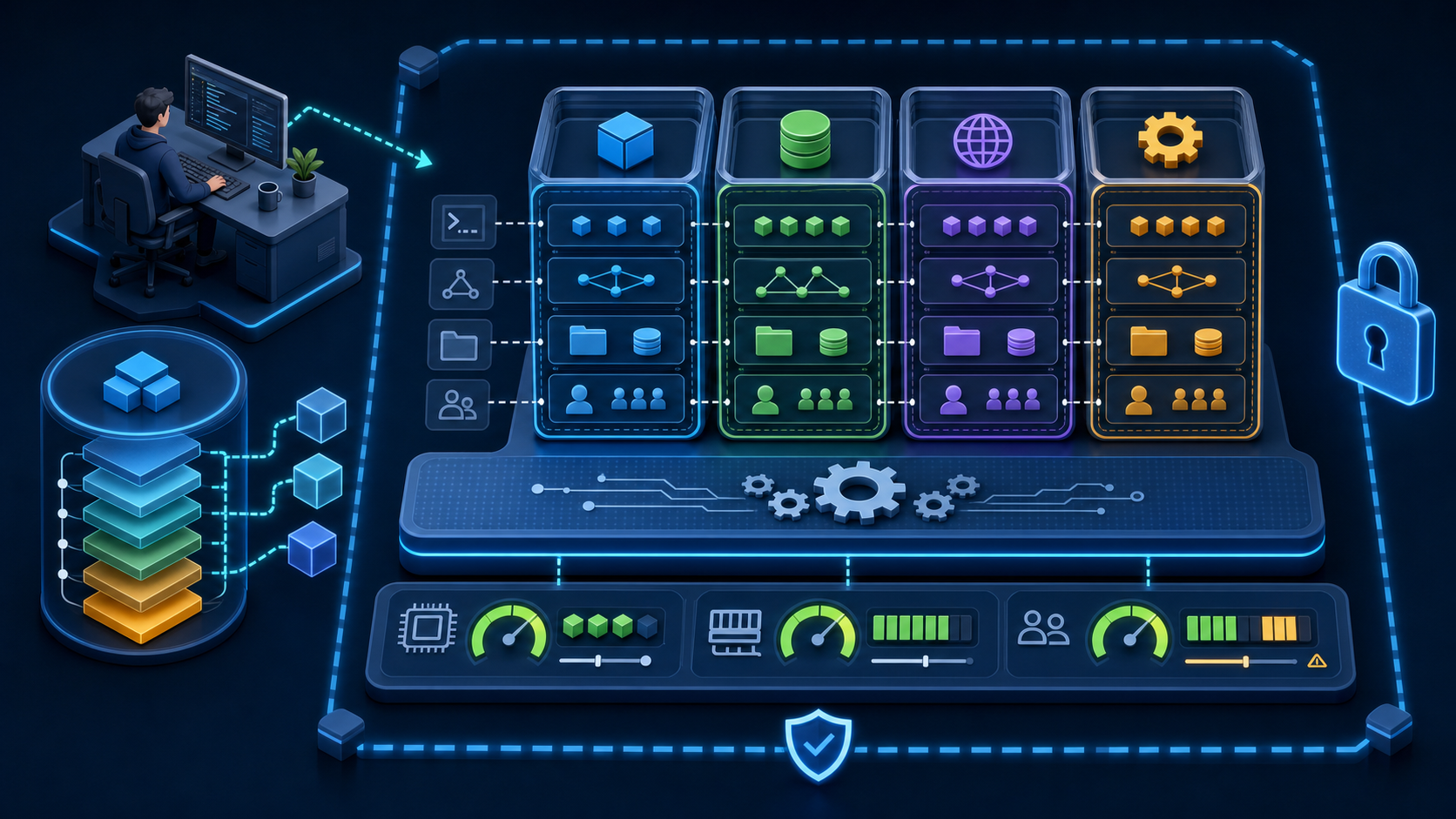
Linux Containers vs. Virtual Machines
| Aspect | Container | Virtual machine |
|---|---|---|
| Kernel | Shares the host kernel | A separate kernel for each guest OS |
| Isolation | namespaces·LSM·seccomp·capabilities | Hypervisor and virtual hardware |
| Image | OCI layers and metadata | A complete disk image |
| Startup | Creates an isolated process | Boots a guest OS |
| Resources | cgroups and runtime limits | Allocated vCPUs, RAM, and virtual devices |
| Security boundary | Shares exposure to kernel vulnerabilities | Separate kernels provide a boundary between guest and host |
Rootless operation maps container root to unprivileged host UIDs, reducing potential damage, but it is not a complete security boundary. Keep the host kernel, engine, OCI runtime, and images patched, and avoid unnecessary capabilities, devices, sockets, and host namespaces.
Linux Container Components
| Component | Role | Typical inspection method |
|---|---|---|
| OCI image | Root filesystem layers and execution metadata | podman image inspect·history |
| Container engine | pull·build·network·storage·lifecycle | podman info |
| OCI runtime | Creates namespaces and cgroups, then starts the process | crun –version or runc –version |
| conmon | Monitors container processes and handles standard I/O and exits | podman info –debug |
| namespaces | Isolates the IDs, mounts, and networks visible to a process | lsns·/proc/PID/ns |
| cgroups v2 | Tracks and limits CPU, memory, I/O, and PIDs | podman stats·/sys/fs/cgroup |
| SELinux/seccomp | Restricts access to files and system calls | getenforce·podman inspect |
Check the Lab Environment
Check Podman and Kernel Support
uname -r
cat /etc/os-release
podman --version
podman info --debug

podman info --format '{{.Host.CgroupsVersion}}'
stat -fc %T /sys/fs/cgroup
getenforce
systemctl is-active firewalld
Confirm that the filesystem reports cgroup2fs and Podman reports cgroup v2. Quadlet requires cgroup v2. Set volume labels correctly with SELinux in Enforcing mode; do not disable the entire security mechanism to work around a configuration problem.
Check Rootless UID and GID Ranges
id
grep -E "^${USER}:" /etc/subuid /etc/subgid
command -v newuidmap newgidmap
command -v pasta

podman unshare cat /proc/self/uid_map
podman unshare cat /proc/self/gid_map
Rootless Podman uses subordinate ID ranges in /etc/subuid and /etc/subgid to map container UIDs to unprivileged host UIDs. If no range is assigned, an administrator must allocate non-overlapping ranges with usermod –add-subuids and –add-subgids. Shared NFS home directories do not understand user namespaces, so consider placing the rootless graphroot on a local filesystem.
Working with Linux Namespaces
A namespace separates a process’s view of global resources. A PID namespace provides a different process ID view; a mount namespace separates mount tables; a network namespace separates interfaces, routes, and ports; and a user namespace separates UID/GID mappings and the scope of capabilities.
List the Current Namespaces
lsns
readlink /proc/self/ns/user
readlink /proc/self/ns/pid
readlink /proc/self/ns/mnt
readlink /proc/self/ns/net
Create Unprivileged User and PID Namespaces
unshare --user --map-root-user --pid --fork sh -c '
  id
  echo "namespace PID: $$"
  readlink /proc/self/ns/user
  readlink /proc/self/ns/pid
'
The uid=0 in the output means root inside the new user namespace, not root on the host. Host UID mappings and permitted capabilities are restricted, so the process cannot read every host file or control arbitrary devices. It still shares the kernel, however, so kernel vulnerabilities and inappropriate device or socket mounts remain risks.
OCI Images and Digests
An image consists of immutable layers and metadata such as its configuration, entrypoint, and environment variables. A registry tag can be moved to a different digest. For production deployments, record the verified manifest digest and apply policies for signatures, SBOMs, and vulnerabilities.
Pull with a Fully Qualified Image Name
IMAGE='docker.io/library/busybox:1.36.1'
podman pull "$IMAGE"

podman image inspect "$IMAGE"   --format 'ID={{.Id}} Digest={{.Digest}} Created={{.Created}}'
podman history --no-trunc "$IMAGE"
podman images --digests
A short name may resolve to different registries depending on registries.conf. Use the full name, including the registry and namespace. If you use a tag for development convenience, record the digest returned by inspect in the approval record, then pin the image in Quadlet files and deployment manifests with image@sha256.
Inspect the OCI Manifest
skopeo inspect   docker://docker.io/library/busybox:1.36.1   | jq '{Name,Digest,Created,Architecture,Os}'

skopeo inspect --raw   docker://docker.io/library/busybox:1.36.1   | jq .
Run a Container with Rootless Podman
Expose BusyBox httpd only on loopback, make the root filesystem read-only, drop all default capabilities, prevent privilege escalation, and limit PIDs, memory, and CPU. Provide only the writable paths the application needs through tmpfs or explicit volumes.
IMAGE='docker.io/library/busybox:1.36.1'
install -d -m 0750 "$HOME/container-data"
printf 'hello from rootless Podman\n' > "$HOME/container-data/index.html"

podman run --detach --rm --name web-demo \
  --read-only --cap-drop=all --security-opt=no-new-privileges \
  --pids-limit=128 --memory=256m --cpus=0.50 \
  --publish 127.0.0.1:8080:8080 \
  --volume "$HOME/container-data:/www:ro,Z" \
  --tmpfs /tmp:rw,noexec,nosuid,nodev,size=32m \
  "$IMAGE" httpd -f -p 8080 -h /www
Verify Runtime State and Limits
podman ps
podman port web-demo
curl --fail --silent --show-error http://127.0.0.1:8080/

podman stats --no-stream web-demo
podman top web-demo user hpid pid args
podman inspect web-demo > web-demo.inspect.json
jq '.[0].HostConfig | {ReadonlyRootfs,Memory,NanoCpus,PidsLimit}'   web-demo.inspect.json
Omitting the host IP from –publish may expose the port on every interface. Bind services behind a local reverse proxy to 127.0.0.1. For external exposure, separately review firewalld zones, allowed sources, TLS, and authentication.
Trace Container Processes and Namespaces
HOST_PID=$(podman inspect --format '{{.State.Pid}}' web-demo)
printf 'host PID=%s
' "$HOST_PID"

ps -o user,pid,ppid,cmd -p "$HOST_PID"
sudo lsns -p "$HOST_PID"
sudo readlink "/proc/${HOST_PID}/ns/user"
sudo readlink "/proc/${HOST_PID}/ns/net"
sudo cat "/proc/${HOST_PID}/cgroup"
PID 1 inside a container appears as an ordinary PID on the host. nsenter grants powerful access for diagnosing an isolation boundary, so restrict its operational use. Start with engine interfaces such as podman exec, logs, and inspect.
podman exec web-demo sh -c '
  echo "container PID=$$"
  id
  cat /proc/self/status | grep -E "^(Name|Pid|NSpid|CapEff|NoNewPrivs):"
'

podman logs web-demo
podman events --since 10m --filter container=web-demo
Working with cgroups v2
cgroups v2 provides resource accounting and limits rather than namespace isolation. Memory limits help contain OOM risk, PID limits contain fork bombs, and CPU quotas reduce noisy-neighbor effects. In a rootless environment, systemd user delegation and host policy may prevent the use of some controllers.
podman stats --no-stream web-demo
podman inspect web-demo --format '{{.State.CgroupPath}}'

systemd-cgls "/user.slice/user-${UID}.slice"
systemctl --user status

podman update   --memory=192m   --pids-limit=96   web-demo
podman stats --no-stream web-demo
Limits that are too low can trigger OOM kills or failed requests under normal load. Tune them alongside the application’s memory model, JVM configuration or worker count, health checks, and restart policy. Monitor host-wide resource headroom and pressure stall information as well.
Volumes and SELinux
Use a Dedicated Host Directory and a Private Label
install -d -m 0750 "$HOME/volume-label-demo"
printf 'hello from a labeled volume\n' > "$HOME/volume-label-demo/index.html"

podman run --rm --read-only --cap-drop=all \
  --security-opt=no-new-privileges \
  --volume "$HOME/volume-label-demo:/data:ro,Z" \
  docker.io/library/busybox:1.36.1 cat /data/index.html

ls -Zd "$HOME/volume-label-demo"
The :Z option relabels the path with a private SELinux label for a single container. Consider :z for paths that multiple containers need to share. Broadly relabeling system directories or sensitive home directories can break host services, however. Mount dedicated directories only, and plan backups, ownership, and UID mappings first.
Container Security Anti-Patterns
| Anti-pattern | Risk | Recommended alternative |
|---|---|---|
| Fully privileged mode | Disables most device, capability, and LSM restrictions | Allow only the specific capabilities and devices required |
| host network/PID | Shares host namespaces and visibility | Use a dedicated network namespace and explicit port mappings |
| Podman/Docker socket mount | Allows arbitrary containers and mounts to be created on the host | Use a restricted API proxy or a separate automation account |
| latest tag | Redeployments may produce different results | Use a verified digest and a signature policy |
| Disabling security controls entirely | Removes SELinux and firewall protection | Adjust only the labels, ports, and policies needed |
| Piping curl output into a shell | Executes remote code without review or integrity checks | Use official packages and verify signatures or checksums |
Audit Permissions and Mounts
podman inspect web-demo   --format '{{json .HostConfig.SecurityOpt}} {{json .HostConfig.CapDrop}}'

podman inspect web-demo   --format '{{range .Mounts}}{{.Type}} {{.Source}} -> {{.Destination}} rw={{.RW}}{{println}}{{end}}'

podman diff web-demo
podman top web-demo capeff label
Manage Containers with Quadlet
Instead of wrapping a one-off podman run command in a shell script, place a Quadlet .container file in the rootless user unit search path so systemd can manage the service lifecycle and logs. In production, replace the Image value below with a verified sha256 digest.
Stop the Temporary Lab Container
podman stop web-demo
podman ps --all --filter name=web-demo

# The container was started with --rm, so it should be removed after a clean shutdown.
podman container exists web-demo; printf 'exit=%s
' "$?"
mkdir -p "$HOME/.config/containers/systemd"
${EDITOR:-vi} "$HOME/.config/containers/systemd/web-demo.container"~/.config/containers/systemd/web-demo.container
[Unit]
Description=Rootless read-only web demo

[Container]
Image=docker.io/library/busybox:1.36.1
ContainerName=web-demo
Exec=httpd -f -p 8080 -h /www
Volume=%h/container-data:/www:ro,Z
PublishPort=127.0.0.1:8080:8080
ReadOnly=true
NoNewPrivileges=true
DropCapability=all
PidsLimit=128

[Service]
MemoryMax=256M
Restart=on-failure
TimeoutStartSec=120

[Install]
WantedBy=default.target
Inspect Quadlet Output and Service Status
mkdir -p "$HOME/.config/containers/systemd"
chmod 0700 "$HOME/.config/containers/systemd"
chmod 0644 "$HOME/.config/containers/systemd/web-demo.container"

systemctl --user daemon-reload
systemctl --user start web-demo.service
systemctl --user status web-demo.service
journalctl --user -u web-demo.service --since '-10 min'

podman info --format '{{.Host.CgroupsVersion}}'
curl --fail --silent --show-error http://127.0.0.1:8080/
Do not directly enable the generated Quadlet service. Let the generator process [Install] WantedBy in the .container file. An administrator can use loginctl enable-linger to keep a rootless service running after logout, but first approve the operational and security implications of that user’s processes continuing to run without an active login.
A Container Troubleshooting Sequence
- Use podman ps –all and the service status to identify exit codes and restart loops.
- Correlate application and engine event timestamps with podman logs and events.
- Inspect the image ID, digest, command, environment, mounts, and security options.
- Check port bindings, rootless networking, DNS, and host firewall rules.
- Check SELinux AVC denials, volume labels, UID mappings, and file permissions.
- Check cgroup memory, PID, and CPU limits, along with OOM and pressure metrics.
- Reproduce the issue on an isolated host with the same digest and minimal input.
podman ps --all --size
podman inspect web-demo
podman logs --timestamps web-demo
podman events --since 30m
podman stats --no-stream web-demo

journalctl --user -u web-demo.service --since '-30 min'
sudo ausearch -m AVC,USER_AVC -ts recent
ss -lntp | grep ':8080'
Container Operations Checklist
- Understand the shared-kernel distinction between containers and VMs, and the separate roles of namespaces and cgroups.
- Verify rootless subuid/subgid ranges, cgroup v2, the runtime, local storage, and networking tools.
- Record fully qualified registry names, verified image digests, signatures, SBOMs, and vulnerability results.
- Apply a read-only rootfs, no-new-privileges, capability drops, and PID, memory, and CPU limits.
- Bind ports only to the necessary host IPs, and avoid privileged mode, host namespaces, and engine socket mounts.
- Use dedicated volumes and SELinux labels while keeping security controls enabled.
- Verify the Quadlet service, logs, health checks, backup and restore, and update rollback.
Official Documentation and Related Articles
- Official Podman documentation, including rootless operation
- podman run security and resource options
- Official Podman Quadlet documentation
- Linux kernel cgroup v2 documentation
- Linux namespaces manual
- Linux Kernel Architecture and Troubleshooting
- Secure NetBox Deployment and Backups with Docker
Conclusion
Running Linux containers safely takes more than a single image launch command. It requires understanding the risks of a shared kernel and managing namespaces, cgroups v2, user mappings, SELinux, and the OCI supply chain together. Default to rootless operation, pin image digests, minimize capabilities, mounts, and ports, and apply read-only filesystems and resource limits. Finally, verify Quadlet and systemd logging, health checks, backups, and rollback to make the service reproducible.