Deploy Kubernetes with Kubespray: Rocky Linux 9 and Cilium Operations Guide
EdwardMoon
This guide builds a reproducible Kubernetes cluster on Rocky Linux 9 with Kubespray and Ansible, then validates three control-plane nodes, etcd quorum, an API VIP, and Cilium networking. The focus is on proving that the cluster can withstand failures and upgrades, beyond simply completing the installation commands.
Kubernetes 1.31.6, used in the previous article, reached end of support in November 2025. This revision uses Kubespray 2.31.0’s default Kubernetes 1.35.4 and bundled Cilium 1.19.3 as of July 2026. Before deployment, check both the checksums in your selected Kubespray tag and Cilium’s Kubernetes compatibility matrix.
Versions and Support Scope
| Component | Baseline in this guide | Reason and considerations |
|---|---|---|
| Rocky Linux | Latest 9.x patches | Align minor versions, kernels, and time synchronization across all nodes |
| Kubespray | v2.31.0 release tag | Pin the release tag and requirements for reproducibility |
| Kubernetes | v1.35.4 | Kubespray 2.31.0 default; a supported minor release |
| Cilium | v1.19.3 | Version bundled with Kubespray 2.31.0 |
| containerd | Kubespray default | Use the combination tested by the 2.31.0 release |
| etcd | Three members | Maintains a majority after one node fails |
The latest Kubernetes release is not necessarily a jointly validated Kubespray/Cilium combination. In July 2026, the latest stable Kubernetes was 1.36.2, while Kubespray 2.31.0 defaulted to 1.35.4. Check Cilium’s stable documentation for its guaranteed end-to-end test matrix, and separately validate combinations outside that list before production.
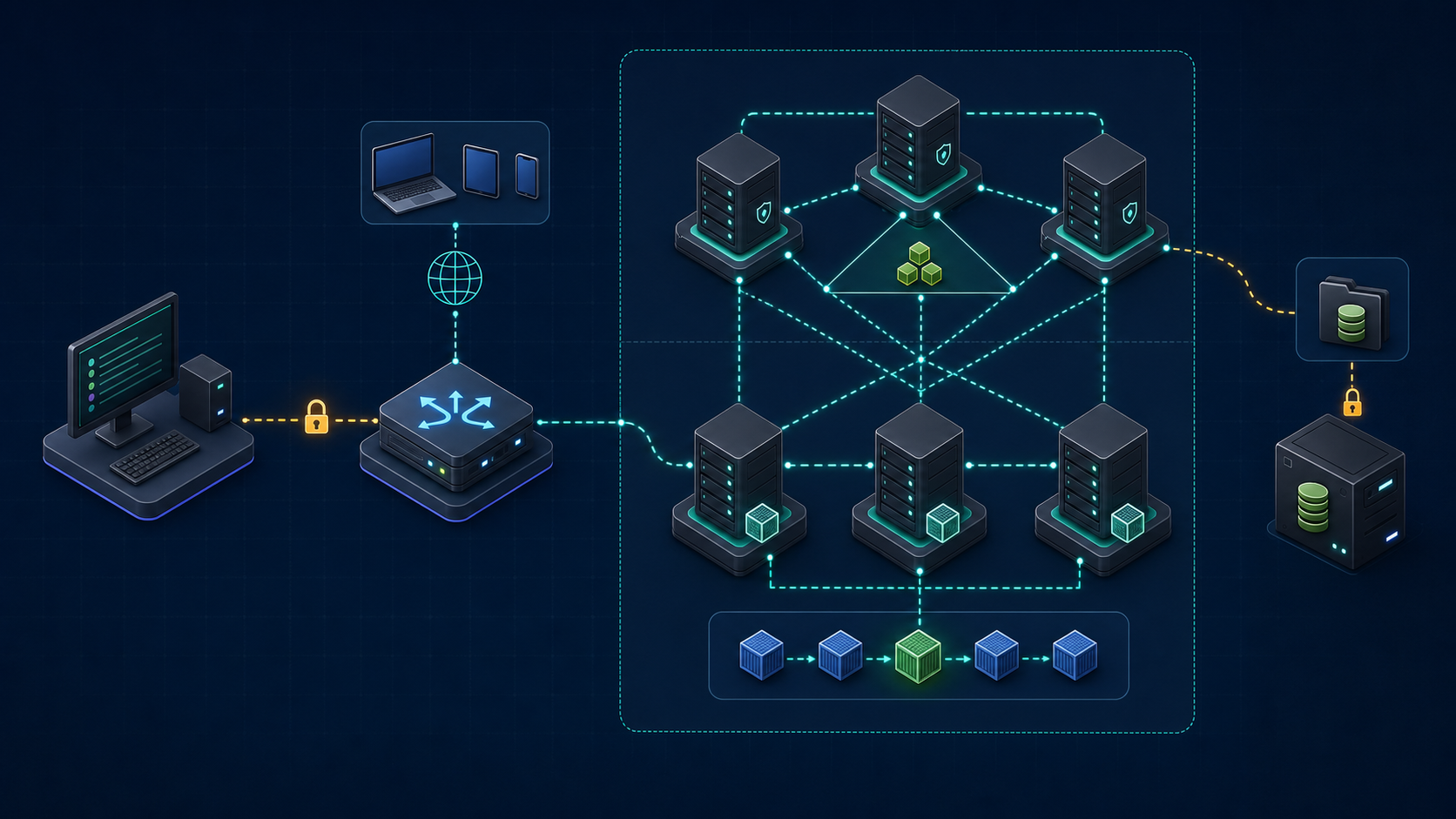
Deployment Topology
| Host | Example IP | Role |
|---|---|---|
| ansible01 | 10.20.0.5 | Runs Kubespray and stores inventory and artifacts |
| api.k8s.example.com | 10.20.0.10 | External HAProxy/load balancer VIP:6443 |
| cp01~cp03 | 10.20.0.11~13 | kube_control_plane + etcd |
| wk01~wk03 | 10.20.0.21~23 | kube_node |
| backup01 | 10.20.0.30 | Encrypted etcd snapshots and inventory backups |
Build the API VIP with at least two proxies and VRRP, or an existing load balancer, rather than a single HAProxy instance. Forward traffic and health checks on port 6443 to kube-apiserver on every control-plane node. Finalize the IP plan first, ensuring node, Pod, and Service CIDRs do not overlap corporate, VPN, or storage networks.
Check Name Resolution and Ports
getent hosts api.k8s.example.com cp01 cp02 cp03 wk01 wk02 wk03

for host in cp01 cp02 cp03 wk01 wk02 wk03; do
  printf '%-6s ' "$host"
  timeout 3 bash -c "</dev/tcp/${host}/22" && echo SSH_OK || echo SSH_FAIL
done

timeout 3 bash -c '</dev/tcp/api.k8s.example.com/6443'   && echo API_VIP_OK || echo API_VIP_FAIL
Preflight Checks on Rocky Linux 9 Nodes
Kubespray manages containerd, kubelet, kernel modules, and sysctl settings, so do not run unrelated installation scripts first. Audit every node’s OS, CPU, memory, disks, cgroups, time synchronization, and any existing container runtime installation.
cat /etc/rocky-release
uname -r
timedatectl status
free -h
lsblk -f
findmnt -no FSTYPE,OPTIONS / /var
stat -fc %T /sys/fs/cgroup
swapon --show
rpm -qa | grep -E 'kube(let|adm|ctl)|containerd|docker|cri-o' || true
Kubernetes 1.35 assumes cgroup v2 as its baseline. Keep Rocky Linux 9’s systemd cgroup v2 setup instead of relying on old cgroup v1 workarounds. Do not disable SELinux and firewalld indiscriminately; verify the supported configuration in Kubespray release documentation and your organization’s network ACLs.
Use a Dedicated Management Account and Register SSH Host Keys
ssh-keygen -t ed25519 -a 100 -f ~/.ssh/kubespray_ed25519

for host in cp01 cp02 cp03 wk01 wk02 wk03; do
  ssh-copy-id -i ~/.ssh/kubespray_ed25519.pub "ansible@${host}"
  ssh-keyscan -H "$host" >> ~/.ssh/known_hosts.new
done

sort -u ~/.ssh/known_hosts.new >> ~/.ssh/known_hosts
rm -f ~/.ssh/known_hosts.new
chmod 0600 ~/.ssh/known_hosts
Compare ssh-keyscan results with fingerprints from a trusted console or asset management system before adding them. Disabling StrictHostKeyChecking prevents detection of man-in-the-middle attacks. Give the ansible account only the sudo permissions it needs, and do not allow direct SSH login as root.
Pin the Kubespray 2.31.0 Execution Environment
Pin Kubespray to a release tag rather than the main branch. A Python virtual environment and requirements.txt keep Ansible dependencies separate from the system Python and make the controller environment reproducible.
sudo dnf install -y git python3.12 python3.12-pip

git clone --branch v2.31.0 --depth 1   https://github.com/kubernetes-sigs/kubespray.git
cd kubespray
git verify-tag v2.31.0 || git show --show-signature --no-patch v2.31.0

python3.12 -m venv .venv
source .venv/bin/activate
python -m pip install --upgrade pip
python -m pip install --requirement requirements.txt

python --version
ansible --version
git describe --tags --always
Git signature verification is meaningful only when the trusted maintainer key is verified through a separate channel. For air-gapped environments, validate release archives, Python wheels, and container image checksums/provenance online before importing them into approved repositories.
Create the Kubespray Inventory
inventory/prod/inventory.yml
cp -a inventory/sample inventory/prod
cat > inventory/prod/inventory.yml <<'YAML'
all:
  hosts:
    cp01: {ansible_host: 10.20.0.11, ip: 10.20.0.11, access_ip: 10.20.0.11}
    cp02: {ansible_host: 10.20.0.12, ip: 10.20.0.12, access_ip: 10.20.0.12}
    cp03: {ansible_host: 10.20.0.13, ip: 10.20.0.13, access_ip: 10.20.0.13}
    wk01: {ansible_host: 10.20.0.21, ip: 10.20.0.21, access_ip: 10.20.0.21}
    wk02: {ansible_host: 10.20.0.22, ip: 10.20.0.22, access_ip: 10.20.0.22}
    wk03: {ansible_host: 10.20.0.23, ip: 10.20.0.23, access_ip: 10.20.0.23}
  children:
    kube_control_plane:
      hosts: {cp01: {}, cp02: {}, cp03: {}}
    kube_node:
      hosts: {wk01: {}, wk02: {}, wk03: {}}
    etcd:
      hosts: {cp01: {}, cp02: {}, cp03: {}}
    k8s_cluster:
      children:
        kube_control_plane: {}
        kube_node: {}
    calico_rr:
      hosts: {}
YAML
Keep the number of etcd members odd. Define control-plane and worker groups separately. Use ansible_host for the SSH address, and ip/access_ip for inter-node communication. In NAT or multi-NIC environments, validate advertised addresses and routing separately.
Open the following three files in an editor and add the relevant keys or replace existing values. Each example is YAML to put in a file, not a shell command.
Key Settings in inventory/prod/group_vars/all/all.yml
ansible_user: ansible
ansible_ssh_private_key_file: ~/.ssh/kubespray_ed25519

loadbalancer_apiserver:
  address: 10.20.0.10
  port: 6443

kubeconfig_localhost: true
kubectl_localhost: true
Kubernetes and Security Defaults
In Kubespray v2.31.0, kube_version and cilium_version use numeric versions without a v prefix. Kubespray adds the prefix to download URLs and container tags, so do not enter values such as v1.35.4. Replace the corresponding keys in the sample YAML with the values below instead of appending duplicate keys.
kube_version: 1.35.4
container_manager: containerd
kube_network_plugin: cilium

kube_service_addresses: 10.233.0.0/18
kube_pods_subnet: 10.233.64.0/18
cluster_name: cluster.local

kube_api_anonymous_auth: false
remove_anonymous_access: true
kubernetes_audit: true
supplementary_addresses_in_ssl_keys:
  - 10.20.0.10
  - api.k8s.example.com
Pod and Service CIDRs must not overlap router, VPN, or data-center networks. Changing an in-use CIDR later can be comparable to migrating to a new cluster. Include the API VIP and DNS name in the kube-apiserver certificate SANs.
Configure Cilium Overlay Networking and Hubble
cilium_version: 1.19.3
cilium_tunnel_mode: vxlan
cilium_identity_allocation_mode: crd
cilium_ipam_mode: kubernetes
cilium_cni_exclusive: true

cilium_enable_hubble: true
cilium_hubble_install: true
cilium_hubble_tls_generate: true
cilium_enable_hubble_ui: false
Replacing kube-proxy changes the Service datapath; it is not merely a performance switch. This baseline guide retains kube-proxy. For replacement mode, separately design cilium_kube_proxy_replacement, the global API endpoint, DSR/SNAT, and host firewall behavior, then perform load and failure testing.
Validation Before Deployment
Check CIDR Conflicts and Inventory Structure
ip route
ip -4 address show

grep -R --line-number -E   'kube_(service_addresses|pods_subnet)|loadbalancer_apiserver|kube_version|cilium_version'   inventory/prod/group_vars

ansible-inventory -i inventory/prod/inventory.yml --graph
ansible-inventory -i inventory/prod/inventory.yml --list   > inventory/prod/inventory-expanded.json
Verify SSH, sudo, and Python
ansible -i inventory/prod/inventory.yml all -m ping
ansible -i inventory/prod/inventory.yml all --become   -m command -a 'id'
ansible -i inventory/prod/inventory.yml all --become   -m shell -a 'python3 --version; stat -fc %T /sys/fs/cgroup; swapon --show'
A successful ping module run is not sufficient. Verify that become works non-interactively and that the Python interpreter and cgroup v2 setup are consistent on every node. Never commit Ansible Vault password files or SSH private keys to the repository.
Review Playbook Syntax and the Task List
ansible-playbook -i inventory/prod/inventory.yml   cluster.yml --syntax-check

git status --short
git diff -- inventory/prod/group_vars inventory/prod/inventory.yml

tar --exclude='credentials' --exclude='artifacts'   -czf "inventory-prod-$(date +%F).tgz" inventory/prod
Run the Kubespray Deployment
Do not begin by applying arbitrary tags across all nodes. Run the official cluster.yml with a validated inventory. If it fails, inspect the first failed task and node state before rerunning the command. Kubespray aims to be idempotent, but external load balancers and networks have their own state.
mkdir -p logs

ansible-playbook -i inventory/prod/inventory.yml   cluster.yml --become   2>&1 | tee "logs/cluster-$(date +%F-%H%M%S).log"

test ${PIPESTATUS[0]} -eq 0
With tee in a pipeline, the shell’s final status may belong to tee, so check PIPESTATUS[0] for the ansible-playbook result. Logs can contain hostnames, IPs, and task output; define access and retention policies and redact sensitive information before external sharing.
Validate the Deployment
Check kubeconfig and the Control-Plane Endpoint
find inventory/prod/artifacts -maxdepth 2 -type f -ls

install -d -m 0700 "$HOME/.kube"
install -m 0600 inventory/prod/artifacts/admin.conf "$HOME/.kube/config"

kubectl config view --minify
kubectl cluster-info
kubectl get --raw='/readyz?verbose'
Artifact filenames can vary with the selected Kubespray tag and configuration, so inspect the find output first. A kubeconfig can contain cluster-admin credentials; do not place it in a shared home directory or publish it as an unrestricted CI artifact. Operators should use OIDC and least-privilege RBAC.
Check Nodes, etcd, and System Pods
kubectl get nodes -o wide
kubectl get pods -A -o wide
kubectl get --raw='/livez?verbose'

ansible -i inventory/prod/inventory.yml etcd --become   -m command -a 'systemctl status etcd --no-pager'

kubectl -n kube-system get endpoints kube-dns
kubectl get events -A --sort-by='.lastTimestamp' | tail -n 50
Check Cilium and Hubble
kubectl -n kube-system rollout status daemonset/cilium --timeout=10m
kubectl -n kube-system get pods -l k8s-app=cilium -o wide

cilium status --wait --wait-duration 10m
cilium connectivity test

kubectl -n kube-system get secret | grep -i hubble
kubectl -n kube-system logs deployment/hubble-relay --tail=100
cilium connectivity test creates multiple namespaces and Pods. Run it in a test namespace permitted by your production policy, and clean up afterward. Confirm that the Cilium DaemonSet on every node, the operator, CoreDNS, and Service routing are healthy before deploying workloads.
Validate Workloads and NetworkPolicy
Deployment, Service, and DNS Smoke Tests
kubectl create namespace smoke-test
kubectl -n smoke-test create deployment web   --image=registry.k8s.io/e2e-test-images/agnhost:2.53   -- /agnhost netexec --http-port=8080
kubectl -n smoke-test expose deployment web --port=80 --target-port=8080
kubectl -n smoke-test rollout status deployment/web --timeout=5m

kubectl -n smoke-test run client --rm -it --restart=Never   --image=docker.io/library/busybox:1.36.1 --command -- /bin/sh -c 'nslookup web; wget -qO- http://web/'
Deny by Default, Then Allow Explicitly
cat <<'YAML' | kubectl apply -f -
apiVersion: networking.k8s.io/v1
kind: NetworkPolicy
metadata:
  name: web-default-deny
  namespace: smoke-test
spec:
  podSelector: {matchLabels: {app: web}}
  policyTypes: [Ingress]
---
apiVersion: networking.k8s.io/v1
kind: NetworkPolicy
metadata:
  name: web-allow-client
  namespace: smoke-test
spec:
  podSelector: {matchLabels: {app: web}}
  policyTypes: [Ingress]
  ingress:
    - from:
        - podSelector: {matchLabels: {run: client}}
      ports:
        - {protocol: TCP, port: 8080}
YAML

kubectl -n smoke-test get networkpolicy
Verify success before applying policy, failure after default-deny, and success after adding an explicit allow rule. If you also restrict DNS egress, check the actual kube-dns selectors and both UDP and TCP port 53. Remove the test resources afterward with kubectl delete namespace smoke-test.
Prepare etcd Snapshots and Recovery
Automate etcd snapshots immediately after deployment. Create a snapshot from one member, copy it to encrypted storage outside the cluster, and document recovery together with the inventory, certificates, and Kubespray tag.
# Run on one etcd node using the default host deployment mode.
sudo systemctl cat etcd
sudo grep -E '^ETCD_(LISTEN_CLIENT_URLS|TRUSTED_CA_FILE|CERT_FILE|KEY_FILE)=' /etc/etcd.env

sudo bash -euo pipefail <<'BASH'
backup_dir=/var/backups/etcd
install -d -m 0700 "$backup_dir"
snapshot="$backup_dir/snapshot-$(date +%F-%H%M%S).db"
node_name=$(hostname -s)
ca=/etc/ssl/etcd/ssl/ca.pem
cert="/etc/ssl/etcd/ssl/admin-${node_name}.pem"
key="/etc/ssl/etcd/ssl/admin-${node_name}-key.pem"
for file in "$ca" "$cert" "$key"; do test -r "$file"; done
etcdctl --endpoints=https://127.0.0.1:2379 \
  --cacert="$ca" --cert="$cert" --key="$key" snapshot save "$snapshot"
etcdutl snapshot status "$snapshot" --write-out=table
BASH
With the default etcd_deployment_type: host, etcd runs as a systemd service. Check actual endpoints and certificate paths in /etc/etcd.env and systemctl cat etcd, then adapt the values above. If inventory names differ from OS hostnames, use the actual admin certificate filename. Test snapshot restoration, API startup, and object consistency regularly in isolation rather than experimenting on the live cluster.
Certificates, Auditing, and Operational Checks
sudo kubeadm certs check-expiration
kubectl auth can-i --list
kubectl auth can-i create clusterrolebindings --as=system:anonymous

kubectl get --raw='/metrics' | grep -E   'apiserver_request_total|apiserver_request_duration_seconds' | head

kubectl get nodes -o json | jq -r '.items[] | [.metadata.name,.status.nodeInfo.kubeletVersion,.status.nodeInfo.containerRuntimeVersion] | @tsv'- Verify API VIP and DNS behavior, and confirm kubectl requests continue succeeding when one control-plane node is stopped.
- Alert on etcd membership, leader state, database size, and snapshot success.
- Monitor node filesystem and inode usage, memory pressure, PID pressure, and image filesystem capacity.
- Send kube-apiserver audit logs to centralized storage with tamper protection and retention policies.
- Remove cluster-admin kubeconfigs from everyday accounts, and use OIDC, RBAC, and short sessions.
- Monitor Cilium drops, policy verdicts, DNS errors, and Hubble certificate expiration.
Upgrade Kubernetes with Kubespray
Upgrade Kubernetes one minor version at a time and follow its version skew policy. First verify that the target Kubernetes patch and Cilium version are included in the target Kubespray tag’s checksums and supported versions. Then check etcd snapshots, workload backups, PodDisruptionBudgets, and spare capacity.
git fetch --tags --prune
git tag --sort=-version:refname | head

# Copy the existing inventory into a fresh clone and venv, then review the differences.
git diff v2.31.0..'<TARGET_KUBESPRAY_TAG>' --   inventory/sample roles/kubespray_defaults docs

ansible-playbook -i inventory/prod/inventory.yml   upgrade-cluster.yml --become --syntax-check

ansible-playbook -i inventory/prod/inventory.yml   upgrade-cluster.yml --become   2>&1 | tee "logs/upgrade-$(date +%F-%H%M%S).log"

test ${PIPESTATUS[0]} -eq 0
Read the new release’s urgent upgrade notes before running upgrade-cluster.yml. For Kubespray 2.31 in particular, review cgroup v1 changes, the retired ingress-nginx project, the archived Kubernetes Dashboard, etcd prerequisite versions, and removed variables. Do not reboot control-plane and worker nodes all at once.
Common Mistakes and Safer Alternatives
| Mistake | Impact | Alternative |
|---|---|---|
| Deploying directly from main | Dependencies and defaults can change at any time | Pin the release tag, requirements, and checksums |
| Two etcd members | Loses its majority if one node fails | Use an odd membership of three or five |
| A single API endpoint | control plane SPOF | Use redundant load balancers with VIP health checks |
| Overlapping CIDRs | Routing conflicts among Pods, Services, and corporate networks | Validate IPAM and routes before deployment |
| Disabling SSH host key checks | Cannot detect man-in-the-middle attacks | Verify fingerprints, then register them in known_hosts |
| Sharing a cluster-admin kubeconfig | Exposes full cluster privileges | Use OIDC, RBAC, and short sessions |
| Creating snapshots without restoration tests | Recoverability remains unproven | Run regular restore drills in an isolated environment |
Kubespray Deployment Checklist
- Pin the Kubespray tag and Python/Ansible requirements.
- Check support documentation for the Kubernetes, Cilium, and containerd combination.
- Prepare three control-plane/etcd nodes and redundant API load balancers.
- Ensure Pod, Service, node, VPN, and storage CIDRs do not overlap.
- Verify SSH host keys, sudo scope, and storage of Vault secrets and private keys.
- Test node and API health, CoreDNS, Cilium connectivity, and NetworkPolicy.
- Store etcd snapshots off-cluster and complete an isolated recovery drill.
- Monitor certificate expiration, audit logs, resource pressure, and Cilium drops.
- Before upgrading, review urgent notes, version skew, PDBs, and spare capacity.
Related Resources
- Official Kubespray v2.31.0 release
- Kubernetes releases and support periods
- Kubernetes version skew policy
- Cilium Kubernetes compatibility requirements
- Ansible Playbooks, Vault, and Rolling Deployments
- Diagnose Linux Disk Space and Inode Exhaustion
- Linux Containers and cgroups v2
Conclusion
A successful cluster.yml run is only one part of a Kubespray deployment. Validate the version combination, three-node quorum, API endpoint, networking, and recovery plan together. Pin the release tag and inventory, restrict anonymous access, and actually test Cilium connectivity, NetworkPolicy, and etcd restoration. Meeting these criteria turns a Rocky Linux 9 lab into a Kubernetes platform ready for operation.